
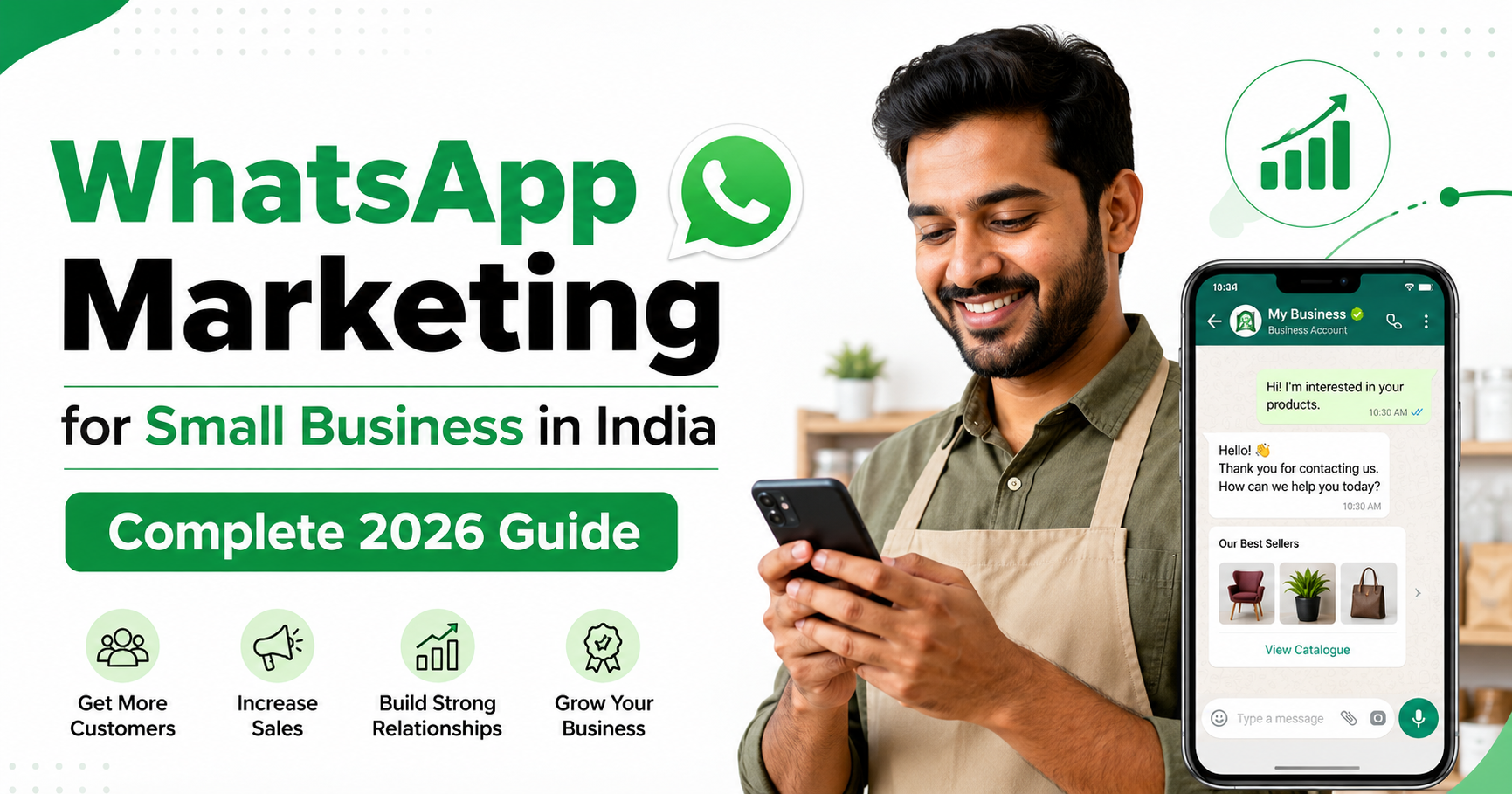
WhatsApp marketing for small business in India is rapidly becoming a must-have strategy for entrepreneurs, freelancers, and startups. With nearly 854 million Indians active on WhatsApp, no other platform matches its reach. Messages get opened almost instantly – and customers prefer WhatsApp over email and SMS for updates. For a small shop, freelancer, or startup, WhatsApp lets you connect personally with customers without big ad budgets. In this guide, you’ll learn everything – from setting up WhatsApp Business to proven strategies, tools, ads, and legal tips – tailored for Indian entrepreneurs in 2026.
Why WhatsApp Marketing for Small Business in India is a Game Changer in 2026
WhatsApp is the most-used messaging app in India by far. In 2024, 853.8 million Indians were active on WhatsApp (that’s ~60% of the population!). By 2026, it’s expected to cross 1 billion users in India
. No other platform (Facebook, Instagram, email, SMS) has that kind of ubiquity. For marketers, reach equals opportunity: when you send a WhatsApp message, it lands right where Indians spend much of their digital time.
Key advantages of WhatsApp marketing:
- Instant engagement: Studies report a whopping ~98% open rate for WhatsApp messages
(some surveys say 60%+ get replies). Sprout Social highlights that WhatsApp blasts cut through the noise: “No other channel puts your message in front of customers this fast”. Personal touch: Unlike mass email, WhatsApp feels one-to-one. Even broadcast messages deliver as personal chats. You can use names, emojis, and a friendly tone. This builds trust – crucial for Indian customers who value relationships. Low cost: It’s free to use WhatsApp Business for up to 5M free messages. And paid ads (Meta) cost far less than international markets. For example, Google Ads CPC in India runs ~₹10–₹80 for searches
- (a fraction of U.S. costs), making ads affordable.
- Multi-media support: Send images of products, short videos of services, voice notes explaining offers. This multimedia approach can increase conversions vs text-only channels.
- High conversion context: People usually use WhatsApp with buying intent. Unlike browsing Facebook aimlessly, a WhatsApp ad or message often lands when the recipient is ready to shop or research – e.g., looking up products online and willing to chat.
According to Dentsu India, the digital ad market is booming – projected to ₹55,000 crore by 2026
. Small businesses should capture a slice of this growth via the most effective channel.
WhatsApp vs WhatsApp Business — What’s the Difference?
Before marketing, you need the right app. WhatsApp (regular) is for personal chat; WhatsApp Business is a separate free app for small businesses. Here’s how they differ:
| Feature | WhatsApp (Personal) | WhatsApp Business |
|---|---|---|
| Profiles | Personal profile only. | Business profile with address, hours, website, and description (builds trust). |
| Catalog | – | Can add product/service catalog (images, price, link). |
| Messaging tools | Basic chats only. | Quick replies, greeting message, away message (automations). |
| Labels/Organization | No. | Can label chats (e.g. New Lead, Pending Payment). |
| Use case | Chat with friends. | Official customer support and marketing. |
| Multiple devices | 4 devices max (phone + web). | 4 devices max (phone + web) for free app; for more, use WhatsApp Business API (paid). |
| WhatsApp API | N/A | Available for larger automation (paid, used by ~5M businesses globally |
| ). |
Example: A local tailor in Jaipur should use WhatsApp Business: she can list her catalogue (sarees, styles), set an away message (“Closed on Sundays”), and greet new customers with business info. If she used personal WhatsApp, she’d miss all these features and look unprofessional.
In summary, always start with WhatsApp Business (free on Play Store). It unlocks key marketing tools. Later, as you scale, consider the Business API for automated flows (Twilio, WATI, etc.), which 5 million businesses worldwide already use
.
How to Set Up Your WhatsApp Business Profile (Step-by-Step)
Getting started is easier than you think. Follow these steps:
- Download WhatsApp Business: From Google Play Store or Apple App Store. Install and verify your business phone number (you can use a new number or one already used by your business).
- Set up your profile:
- Tap More Options (⋮) > Settings > Business settings > Profile.
- Upload a clear logo or business photo.
- Enter Business Name (this appears in chats) – e.g. “Raj’s Electronics, Pune”.
- Write a brief Description (what you sell).
- Add your Address, Hours, and Website. Tip: Use accurate GPS address for local customers.
- Configure messaging tools:
- Greeting message: Set an automated greeting for new customers, like “Hi! Welcome to [BizName]. How can we help you today?” (Helps start engagement.)
- Away message: Auto-reply outside office hours (“We’re offline now. Will reply ASAP!”).
- Quick replies: Save answers to common FAQs (price list, location, returns). For example, saving “@price” to send your service rates.
- Create your catalog:
- In Business settings > Catalog, tap “Add Item”. Upload a photo of your product/service, give it a name, price, description, and link if any. Save.
- Share catalog items in chats via the catalog button. This is invaluable for showcasing what you offer without sending attachment each time.
- Explore labels and filters (Optional): Label important chats (e.g. New Lead, Paid, Follow-up). This keeps you organized as contacts grow.
- Test your setup: Send a message to a friend using broadcast. Check that your profile info and catalog are visible.
Setting up properly builds trust. Customers will see your “Verified Business” profile and detailed info, making them more confident to buy. Now you’re ready to market!
7 Proven WhatsApp Marketing Strategies
With your Business profile live, use these strategies to grow and engage your Indian audience:
- Personal 1:1 Conversations: Don’t underestimate personal chat. When a customer messages, respond promptly and helpfully. For example, Divya sells handmade jewelry in Mumbai; she chats via WhatsApp to show product photos and answer questions in real-time, boosting conversions. Personalized replies (using the customer’s name and order details) build loyalty.
- Broadcast Lists for Promotions: A broadcast list lets you send the same message to up to 256 contacts individually (they won’t see each other). Use it to announce sales, new arrivals or events. Example: A Delhi boutique owner named Shivani made a list “VIP Customers” (customers who agreed). She sends an exclusive “10% off Diwali discount” message to 150 people at once. Because recipients saved her number, each sees it as a normal chat. Tip: Limit broadcasts to 1–2 per week to avoid being marked as spam.
- Status Updates: Use the WhatsApp Status feature like Instagram stories. Post product videos, service demos, or behind-the-scenes clips that disappear after 24 hours. Indian users often check friends’ statuses – your story can capture attention organically. For instance, Amit, who runs a tiffin service in Bangalore, posts daily lunch menu photos as his WhatsApp status; many clients see it and order directly through chat.
- Engaging Catalog & Links: Regularly share your catalog link in conversations. If someone asks “What do you sell?”, just send the catalog. This shortens the path to purchase. You can also share individual item links with pricing. Ensure your catalog is always updated with bestsellers and new products.
- Automation & Chatbots (Semi-Automatic Replies): For small teams, even a simple chatbot can help. Tools like WATI or Landbot (on WhatsApp API) let you set up keyword-based flows. For instance, if a user texts “price list”, the bot can auto-reply with your rate card. Kiran, a Pune salon owner, implemented an auto-responder for FAQs (“list”, “time”, “address”) which immediately sends answers, saving her time. Even without a paid bot, you can mimic this via quick replies (e.g. user types “hi”, you send preset greeting).
- Click-to-WhatsApp Ads (see next section) – run paid ads on Facebook/Instagram that open a WhatsApp chat when clicked. You’ll reach people who might not know your number yet. We’ll detail this below.
- Rich Media (Video & Voice): Instead of only text, send short promotional videos or voice notes. For example, a sweet shop in Kolkata once sent a quick video of their Diwali sweets being made – it went viral among customers and brought orders! WhatsApp supports 16MB videos and voice messages. A warm, human voice message (e.g. owner speaking) can be very persuasive.
- User-Generated Content & Reviews: Encourage happy customers to share photos of your product on WhatsApp (to you or to groups). Ask for testimonials: “Send us a selfie with your new purchase!” Then share those (with permission) in your status or broadcast to build trust.
Always monitor responses. Track how many people reply, ask questions, or click on your catalog. Iterate accordingly. The beauty of WhatsApp is the conversation – treat each chat as a two-way street, not just a billboard.
WhatsApp Broadcast List — The Beginner’s Secret Weapon
A Broadcast List is one-to-many messaging without creating a visible group. It’s like BCC email but immediate and personal. Here’s how it works and why it’s gold for beginners:
- Creating a List: In WhatsApp Business: Chats > Broadcast Lists > New List. Select contacts (they must have your number saved). Name it (e.g. “Festival Offers”). Save and send messages. Each contact gets it as a normal chat (they won’t know it’s a broadcast).
- When to Use: Perfect for announcements – holiday sales, store openings, or last-minute deals. Since it’s one-way, do not use it for spam. Only send if you have a genuine update customers signed up for.
- Best Practices:
- Segment your lists: Don’t blast every contact with the same pitch. You might have lists for New Customers, Loyal Customers, Wholesale Buyers, etc., and tailor messages accordingly.
- Personalize the opening: Even in broadcasts, start with a friendly line (“Hello!👋 We have something special for you.”).
- Timing matters: Send during business hours (10am–9pm) – see legal section below.
- Frequency: Once a week or fortnight is safe.
- Example: Rahul runs a tea stall in Jaipur. He made a “Chai Lovers” broadcast list of 100 regulars. Every morning at 9am, he sends “Good morning ☀️! Today’s special: Masala Chai at ₹20/- only for you 😊”. He highlights it’s an exclusive deal, making customers feel valued. His morning sales jumped 20%.
In summary, think of broadcasts as your digital flyer to subscribed customers. It’s free advertising – just use it responsibly.
Generate Leads Using WhatsApp in India
WhatsApp isn’t just for chatting—it can be a lead generation engine. Here’s how Indian businesses can leverage it:
- Website & GMB Integration: Add a WhatsApp button on your website (“Chat with us on WhatsApp”). Also, in your Google Business Profile, include your WhatsApp number. Many local queries (“best bakery near me”) result in quick WhatsApp inquiries.
- Social Media CTA: On Facebook/Instagram, use “Message us on WhatsApp” stickers and bio links. For example, Ayesha’s Boutique in Lucknow had “DM us on WhatsApp for catalog” on her Insta; many DMs turned into store visits.
- WhatsApp-based Lead Magnets: Offer something free via WhatsApp: e.g. “WhatsApp ‘Menu’ to get our new menu” for a restaurant. Or a free PDF guide sent over WhatsApp if user messages. This captures contact and starts a conversation.
- Event and Workshop Sign-ups: For workshops/webinars, use WhatsApp registration. Send broadcast invites to previous attendees (“Text WORKSHOP to know about our next free session”).
- WhatsApp Remarketing: If someone visited your website or social page, retarget them with a Click-to-WhatsApp ad. They click and land in a chat; you greet them and pitch an offer. Compared to cold calls, starting on WhatsApp feels more casual and acceptable.
- Paid Ads Funnels: Use Google Ads call-only or Smart campaigns with “Open WhatsApp” as the call button (via Vaani networks or Google’s Click to Message). Or run Meta Lead Ads that include WhatsApp as a follow-up contact channel. These connect cold leads directly into your chat funnel.
- Word-of-Mouth (Refer a Friend): Offer discounts for referrals through WhatsApp. For instance, Manish, who teaches guitar in Kolkata, tells every new student to “WhatsApp us your friend’s contact for a 10% discount on next month’s fees.” Many students happily do this, generating leads.
The key is to make WhatsApp the default response channel. Once a lead reaches you via chat, engage quickly. A swift personalized reply often converts interest into action.
Click-to-WhatsApp Ads: Ads That Open the Chat
Meta (Facebook/Instagram) ads offer a “Click to WhatsApp” format, which can be gold for Indian SMBs:
- What It Is: In Ads Manager, choose the Messages objective and select WhatsApp as the messaging app. The ad appears with a “Send WhatsApp Message” button. When someone clicks, a chat opens with your business number ready to type in.
- Setup Tips:
- Connect WhatsApp to Meta: In Facebook Business Manager, link your WhatsApp Business account/phone number.
- Ad Creative: Use a compelling image or video, and an ad copy like “Questions? Message us on WhatsApp!” or “Quick Enquiry? Tap here”. Emphasize convenience (“Chat on WhatsApp” rather than “Call us”).
- Audience: Target by location (e.g. city or local radius), interests, or lookalike. For small businesses, local targeting usually works best.
- Budget: Start small (e.g. ₹300-₹500/day). Monitor cost per chat and adjust.
- Why It Works: Indian users are heavy mobile users. Many prefer chatting over calling or emailing. These ads remove friction: one tap, and you’re talking business.
- Example: A home tuition center in Chennai ran a Click-to-WhatsApp ad with “Let’s study from home! Message us to book a trial class.” Within a week, they got 50+ student inquiries directly on WhatsApp, at ~₹25 per chat.
- Local Advantage: Even tier-2 and tier-3 city users are increasingly on WhatsApp and Facebook
- . Because CPCs are lower here than metros, you can reach many relevant customers on a tight budget.
Remember to follow up quickly on any leads from these ads. A fast WhatsApp reply (with a friendly, not robotic tone) often seals the deal.
Best Free WhatsApp Marketing Tools in 2026
You don’t need expensive software to get started. Here are some top tools (free or freemium) for Indian SMBs:
- WhatsApp Business App: (Android/iOS) – Everything in it is free: catalogs, quick replies, labels, basic stats. It’s your HQ. Make sure to keep it updated; new features roll out regularly.
- WhatsApp Web/Desktop: (web.whatsapp.com) – Manage chats from your laptop/PC comfortably. Useful if you handle many chats at once.
- Chatbot Builders (Trial Plans): Platforms like Twilio API, WATI or Landbot offer low-cost chatbots. WATI has an Indian presence and free trial. Even the official WhatsApp Business API can be accessed via WhatsApp’s free trial program (valid for up to 5 message templates a day).
- Spreadsheet + WA Web: Some small biz owners manually integrate Google Sheets with WA Web (copy-pasting), which works in a pinch for catalogs and broadcast templates.
- Design Tools: Canva and Crello have WhatsApp Story templates and post templates. Use these to create eye-catching images and infographics for status/ads.
- Analytics: WhatsApp Business includes message statistics (sent, delivered, read). For deeper data, free CRMs like HubSpot CRM can be linked via API to store chats as contacts/leads (though initial setup requires effort).
Avoid Unofficial Tools: Many “WhatsApp marketing tools” online are unauthorized bulk-messaging apps. These risk your account ban. Stick to official or well-reviewed services.
Finally, WhatsApp Business API providers in India (like Gupshup, Infobip) often have starter packages. If you plan to scale and automate (like chatbots for FAQ), consider them. But for beginners, the above free options cover most needs.
5 Beginner Mistakes to Avoid
Launching WhatsApp marketing without care can backfire. Here are five common pitfalls:
- Spamming Customers: Don’t send messages to people who haven’t opted in. Bombarding random numbers or using scraped lists will irritate users and can get your account reported/banned. Always use your existing customer list or contacts who said “Yes”.
- Ignoring Personalization: Sending a generic one-size-fits-all message lowers trust. Always personalize at least with a first name or a reference (“Hi Priya!”). If using broadcast, mention their city or last purchase when possible.
- Lack of Clear CTA: Each message should have a purpose: book now, call us, browse catalog. Without a clear call-to-action, customers won’t know what to do next. For example, after a promo, say “Click here to chat/book”.
- Sending Too Often or at Odd Hours: Customers dislike being pinged constantly. In India, the Telecom Regulatory guidelines suggest no marketing calls/texts after 9 PM or before 10 AM. (WhatsApp itself enforces quiet hours.) Respect these windows.
- No Follow-up: If a customer expresses interest (e.g. asks a question), not responding promptly can lose the sale. Even a quick “Thank you, I will get back shortly” is better than silence. Track chats that need follow-up (use labels/reminders).
By avoiding these mistakes and focusing on genuine, helpful communication, your WhatsApp efforts will yield trust and results.
WhatsApp Marketing Legal Rules in India — Don’t Get Banned
WhatsApp in India has strict rules to protect users. To stay compliant:
- Use Official Apps Only: Only message via the WhatsApp Business app or approved API providers. Third-party spam apps violate Terms of Service.
- Obtain Consent: Only send promotional content to people who have opted in (e.g. they shared their number while placing an order or explicitly asked to join your list). Unsolicited messaging is not allowed.
- Follow Messaging Limits: WhatsApp restricts volume for new accounts. Don’t attempt to circumvent limits by resetting your account. Build trust gradually.
- No Spam/Scams: Never send misleading offers (e.g. “You won a prize”). That’s expressly banned and illegal. Keep messages honest and clearly from your business.
- Time-bound Messages: As per TRAI rules, no unsolicited calls/SMS in the night. While WhatsApp is slightly different, common courtesy (and risk of being reported) means avoid messaging very early or late.
- Data Protection: If you collect customer details (names, numbers), handle them securely. India’s personal data laws (DPDP Act) will soon apply. Don’t misuse contact info; only message about your own business’s products/services.
For example, WhatsApp’s own help center states: “You can use broadcast lists to send a message to several contacts at once. Broadcast lists are saved lists of contacts that you can repeatedly message.”
This implies permission (contacts must have your number).
In short, be as respectful on WhatsApp as you would be in person or over phone. Build a reputation for reliability, not annoyance.
Frequently Asked Questions on WhatsApp Marketing for Small Business in India
- How to do WhatsApp marketing for free in India?
Use the WhatsApp Business app and organically grow your contacts. Post your number on your website, social pages, and let customers opt-in. Use free features: catalogs, groups (for community), broadcast lists, and status updates. Focus on providing value (free tips, exclusive deals) rather than hard-selling, and your messages will spread via word-of-mouth. - What is the difference between WhatsApp and WhatsApp Business?
WhatsApp Business is built for merchants. It offers a special profile (with business name, description, hours, address), product catalogs, and messaging tools (quick replies, labels) that the regular app doesn’t have. Always use WhatsApp Business for your company. - Can I advertise on WhatsApp?
You cannot place ads inside WhatsApp itself, but you can advertise elsewhere to get people into WhatsApp. That’s where Click-to-WhatsApp ads on Facebook/Instagram come in. These ads open a chat to your business. You pay Meta for the ad, but once users message you on WhatsApp, chats are free. - How do I create and use a WhatsApp broadcast list?
On WhatsApp Business: go to Chats, then Broadcast Lists, then New List. Select up to 256 contacts (they must have your number saved). Give the list a name. Now when you send a message to that list, everyone receives it as a normal chat (you can see who read it). Use this for announcements. - Is WhatsApp marketing legal in India?
Yes, when done correctly. You must use official methods (Business app/API) and only message people who agreed to hear from you. Do NOT send random promotional messages like spam. Follow the Telecom regulations (no messaging odd hours, transparency in offers). As long as you play by the rules, WhatsApp marketing is perfectly legitimate in India.
Final Thought on WhatsApp Marketing for Small Business in India
WhatsApp marketing for small business in India offers unmatched reach and engagement for Indian small businesses. It’s free to start, fun to use, and backed by data: Indians are glued to WhatsApp, and businesses see massive ROI by leveraging it.
As a small entrepreneur, begin with one step: set up your WhatsApp Business profile and start chatting today. Build your broadcast lists, share your first promotion, and watch the magic unfold. Over time, integrate ads, chatbots, and analytics to scale. Remember: customers value quick, helpful responses. A friendly WhatsApp chat can turn inquiries into sales faster than any other medium.
Stay compliant with WhatsApp’s rules, keep messages human (not robotic), and always focus on building relationships. In 2026 and beyond, WhatsApp will continue to dominate India’s digital landscape
. By mastering it now, your small business will be well ahead of the curve.
Ready to grow? Get started with the steps above, and keep an eye on trends (e.g. AI chat assistants on WhatsApp) to stay cutting-edge. Wishing you massive success – on WhatsApp and beyond!